

Managing Products · 1 min read
How to create your first product
Last updated Jul 16, 2026
For: VendorDifficulty: Easy⏱ 3 min
Note: the marketplace currently supports physical products only. Every new product ships to the buyer.
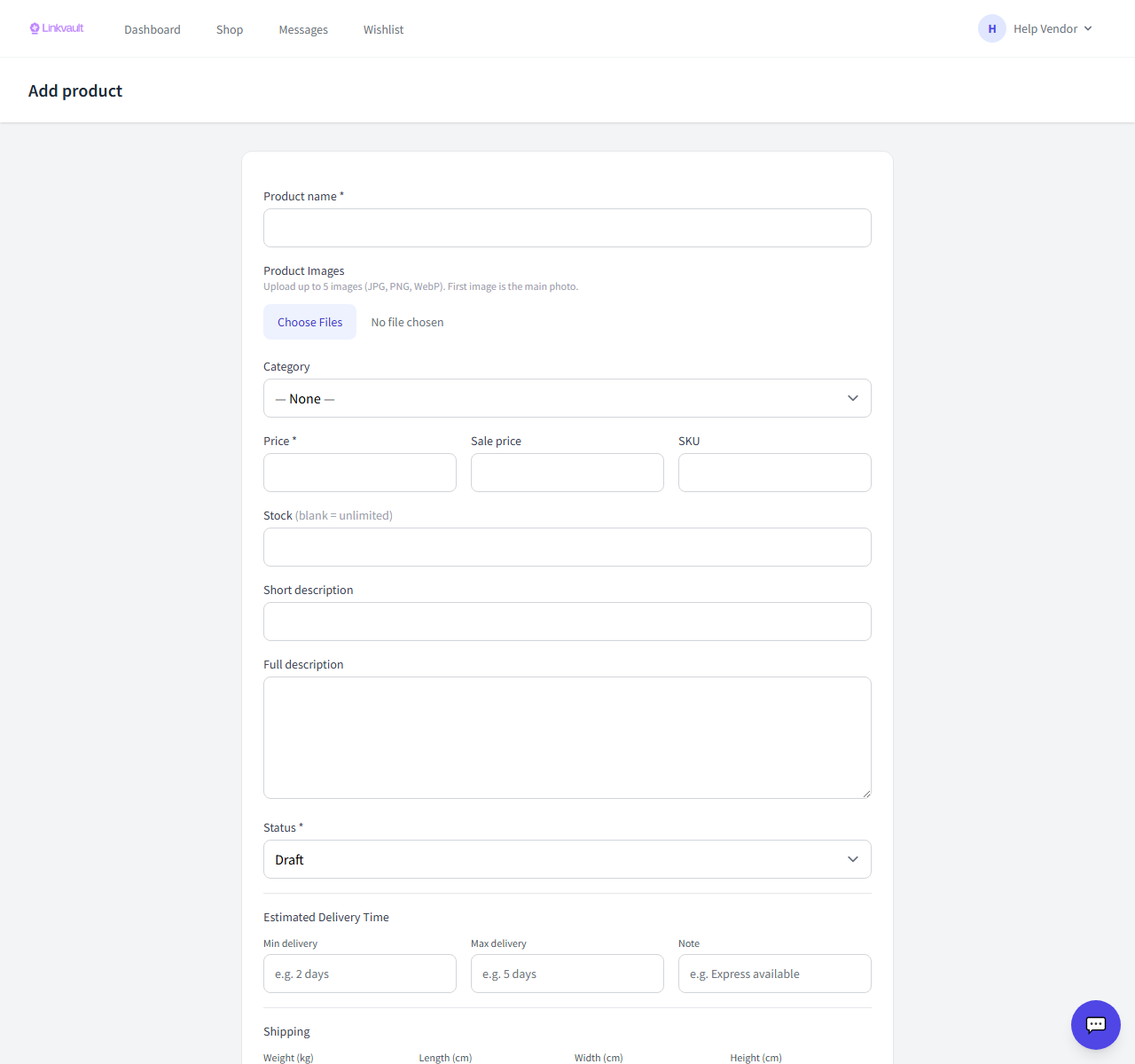
Step by step
- Go to Vendor → Products → Add product.
- Enter the product name and upload up to 5 images (the first is the main photo).
- Pick a category, set the price (and optional sale price), and add a SKU if you use them.
- Set stock (leave blank for unlimited) and write short and full descriptions.
- Add weight and dimensions so shipping can be calculated, then set status to Published and save.
Tips
- Clear, well-lit photos on a plain background sell better.
- Leave stock blank only if you truly never run out.
Frequently asked questions
Where did the “type” option go?
Digital and service products are disabled for now, so all products are physical and the type selector was removed.
Was this article helpful?