

Selling & Store Setup · 1 min read
Vendor dashboard tour
Last updated Jul 16, 2026
For: VendorDifficulty: Easy⏱ 2 min
Step by step
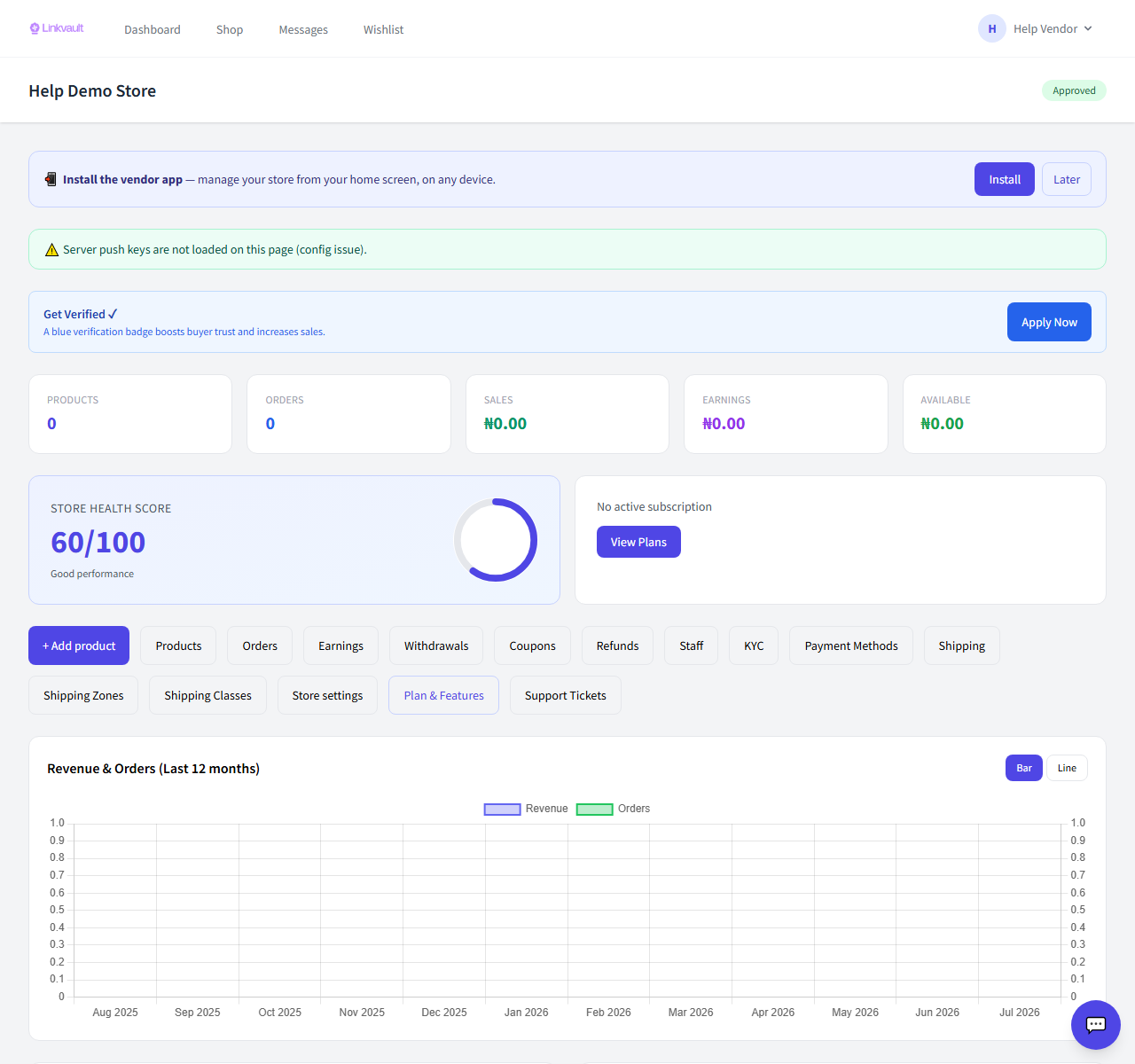
- Your dashboard summarises products, orders, earnings, and low-stock alerts.
- Use the side navigation to reach Products, Orders, Shipping, Wallet, and Settings.
- Watch the alerts area for actions that need your attention.
Was this article helpful?