

Getting Started · 1 min read
How to become a vendor and open your store
Last updated Jul 16, 2026
For: VendorDifficulty: Easy⏱ 3 min
Selling on LinkVault starts with a normal account. Once you have one, you can create a store, complete verification, and list products.
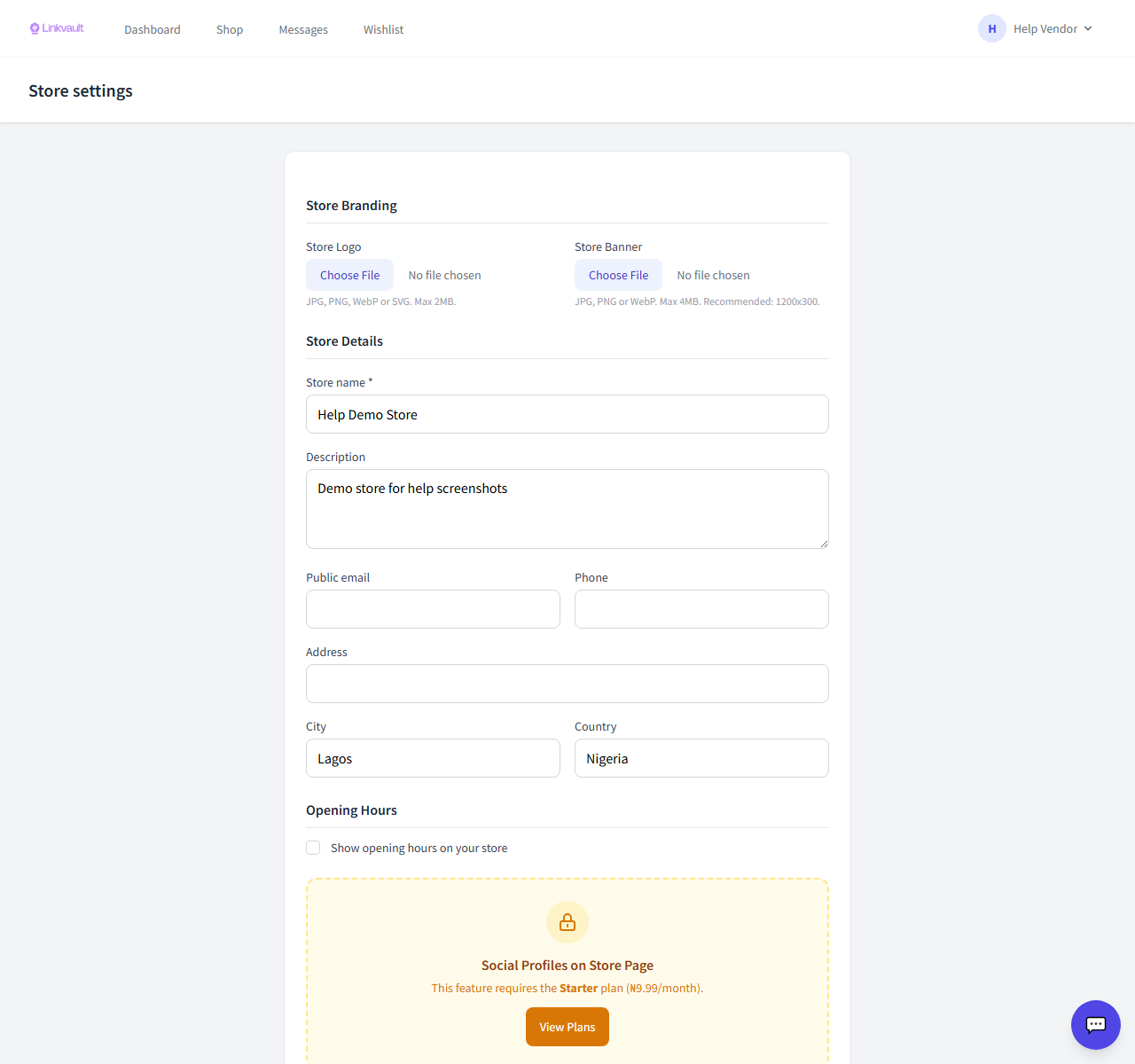
Step by step
- Create or log in to your LinkVault account.
- From your dashboard choose Become a Vendor / Create your store.
- Enter your store name, description, city, and country, and upload a logo.
- Complete KYC verification — this is required before you can withdraw earnings.
- Add your first product, then submit your store for review.
Tips
- Most stores are reviewed within 24 hours.
- You can keep adding products while your store is under review.
Frequently asked questions
Is there a fee to open a store?
Opening a store is free. A commission applies to sales, and some advanced tools require a paid plan.
What is KYC?
Know-Your-Customer verification confirms your identity and bank details so you can be paid out securely.
Was this article helpful?